AI-powered image and video editing tools are making it easier than ever to transform ordinary photos and videos into something completely different. From swapping faces in pictures to creating entertaining video clips, these tools offer creative possibilities without requiring advanced editing skills. One platform exploring this space is DeepSwapFace, an online AI tool designed to make face swapping and other visual transformations accessible to everyday users.
But what exactly does DeepSwapFace offer, how does it work, and what types of projects is it best suited for? Let's take a closer look at its features, usability, and potential applications.
What Is DeepSwapFace and What Does It Do?
DeepSwapFace is a browser-based AI platform that allows users to swap faces and transform visual content in photos, videos, and GIFs. Rather than relying on complicated editing software or manually adjusting facial features, the platform uses AI to detect faces and automatically blend replacements into existing media.
Its main attraction is its straightforward approach. Users can upload their source face and the image or video they want to edit, let the AI process the content, and download the resulting creation. The platform advertises a free experience without mandatory registration or watermarks, making it accessible to people who want to experiment without committing to a subscription.
Face swapping is the central feature, but DeepSwapFace offers several related capabilities. These include:
- AI Photo Face Swap: Replace a face in an existing photograph with another face.
- Video Face Swap: Apply face replacements to video clips while maintaining movement and expressions.
- GIF Face Swap: Create animated GIFs featuring different faces.
- Multiple Face Swap: Change several faces within the same image or video.
- Batch Face Swap: Process multiple files for projects that require more than one transformation.
- Body and Head Swapping: Experiment with broader visual transformations beyond facial replacement.
The platform also promotes additional AI editing options, including gender transformations and appearance-related effects.
This variety makes DeepSwapFace more than a basic photo-editing utility. It is designed as an accessible creative playground where users can experiment with different types of AI-generated visual content.
How to Use DeepSwapFace
One of the platform's biggest advantages is its relatively simple workflow. You don't need professional editing experience, specialized software, or a powerful computer to get started. Most of the process takes place directly in your web browser.
The typical face-swapping process involves three steps.
- Upload your images or videos.
Start by visiting the DeepSwapFace website. Select the appropriate tool and upload the original face image alongside the target photograph or compatible media file. For the best results, use clear images with good lighting and unobstructed facial features. - Let the AI process your content.
Once the files are uploaded, the AI automatically detects the relevant faces and performs the replacement. The technology attempts to match facial positioning, expressions, lighting, and skin tones so that the result looks consistent with the original material. - Preview and download your creation.
After processing is complete, review the output and download it if you're happy with the result. Depending on the selected tool, you can create a still image, animated GIF, or video.
The lack of a complicated editing interface makes the platform particularly appealing to beginners. Instead of spending time learning layers, masks, and other editing techniques, users can focus on selecting their source material and experimenting with different results.
What Is DeepSwapFace Best Used For?
DeepSwapFace is primarily suited to casual creative projects, entertainment, and quick visual experiments. Its combination of photo, video, and GIF editing makes it useful for several different audiences.
Creating memes and funny social media content: Face swapping can turn ordinary photographs into humorous edits. Users can experiment with friends' faces in fictional scenes or create amusing variations of familiar images, provided everyone involved has agreed to the use of their likeness.
Making entertaining video edits: Video face swapping opens up possibilities beyond static images. Content creators can experiment with short clips, parody videos, and creative social media posts without manually editing every frame.
Experimenting with AI transformations: The platform's additional appearance-related tools allow users to explore different visual styles and character concepts. This can be useful for people interested in AI-generated art, digital experimentation, and imaginative photo editing.
Working with multiple images: Batch processing and multi-face functionality are potentially useful for creators who want to experiment with group photographs or produce several variations of the same concept.
However, DeepSwapFace is not necessarily a replacement for professional video-editing software. Users looking for detailed control over individual frames, advanced color correction, sophisticated compositing, or extensive post-production features may find its automated approach limiting.
More Tools Worth Exploring
In addition to its main face-swapping functionality, DeepSwapFace offers other AI tools aimed at users interested in more specialized image and video generation. Two examples are Fantasy nude AI and AI Porn Video Generators.
Fantasy Nudes AI
Fantasy Nudes AI is an appearance-transformation tool designed to generate altered versions of images using artificial intelligence. It belongs to the AI image-editing category, where users can experiment with different visual appearances and transformations.
Tools in this category are generally aimed at adults interested in exploring AI-generated imagery rather than traditional photo editing. As with any image-manipulation technology, consent is essential. Users should restrict their experiments to their own images or appropriately licensed, consenting adult subjects.
AI Porn Video Generator
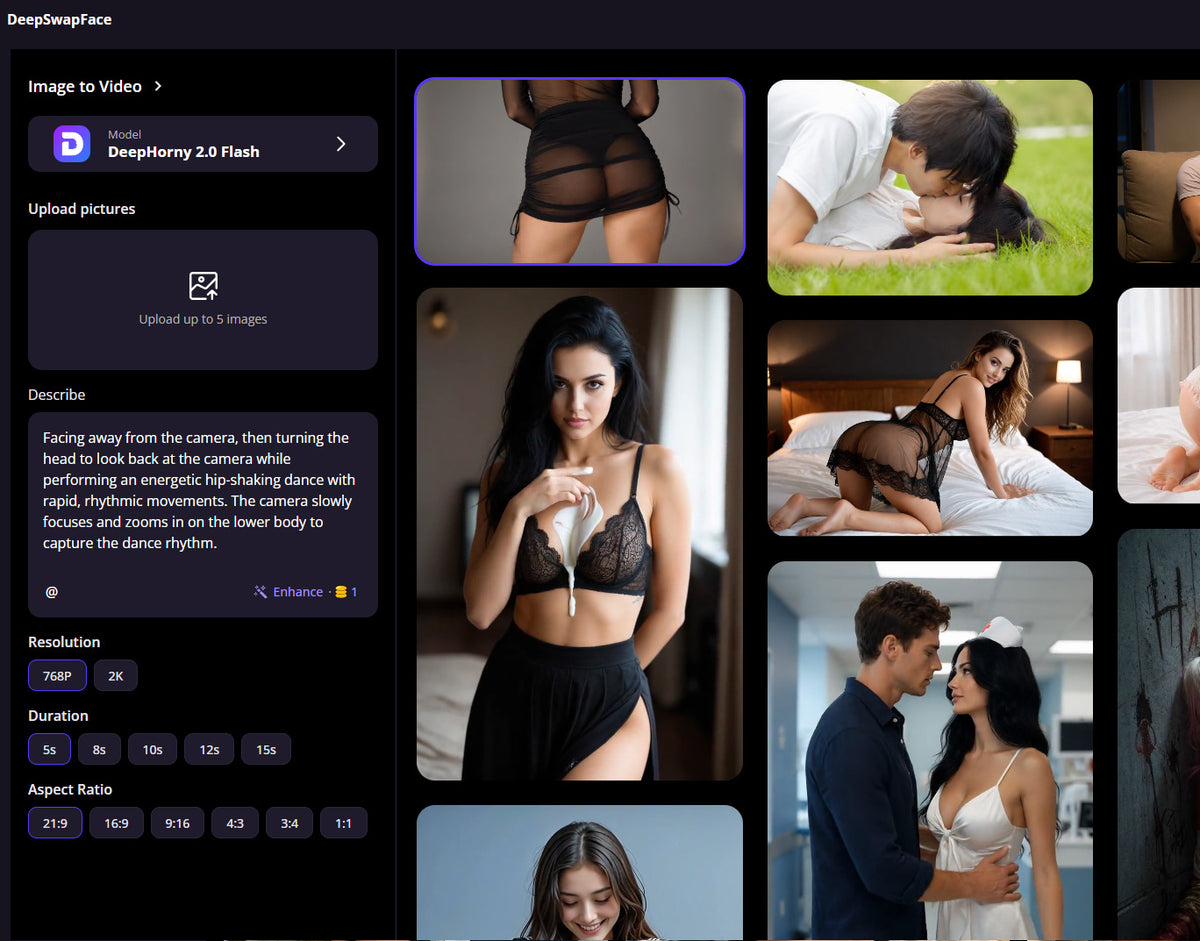
For users interested in AI-generated video rather than static images, DeepSwapFace also provides a Sexy AI Video Generator. This tool focuses on turning text descriptions and reference images into short, AI-generated videos.
The interface offers several customization options, including:
- Video resolutions of 720p and 1080p.
- Clip durations of 5, 10, or 15 seconds.
- Landscape, portrait, and square aspect ratios.
- Text descriptions and reference image uploads.
The advertised workflow involves describing a scene, customizing the video settings, and generating the finished clip. The page lists a generation cost of 160 credits, so users should check the available credit balance and current pricing before starting.


 Credit Cards Accepted